
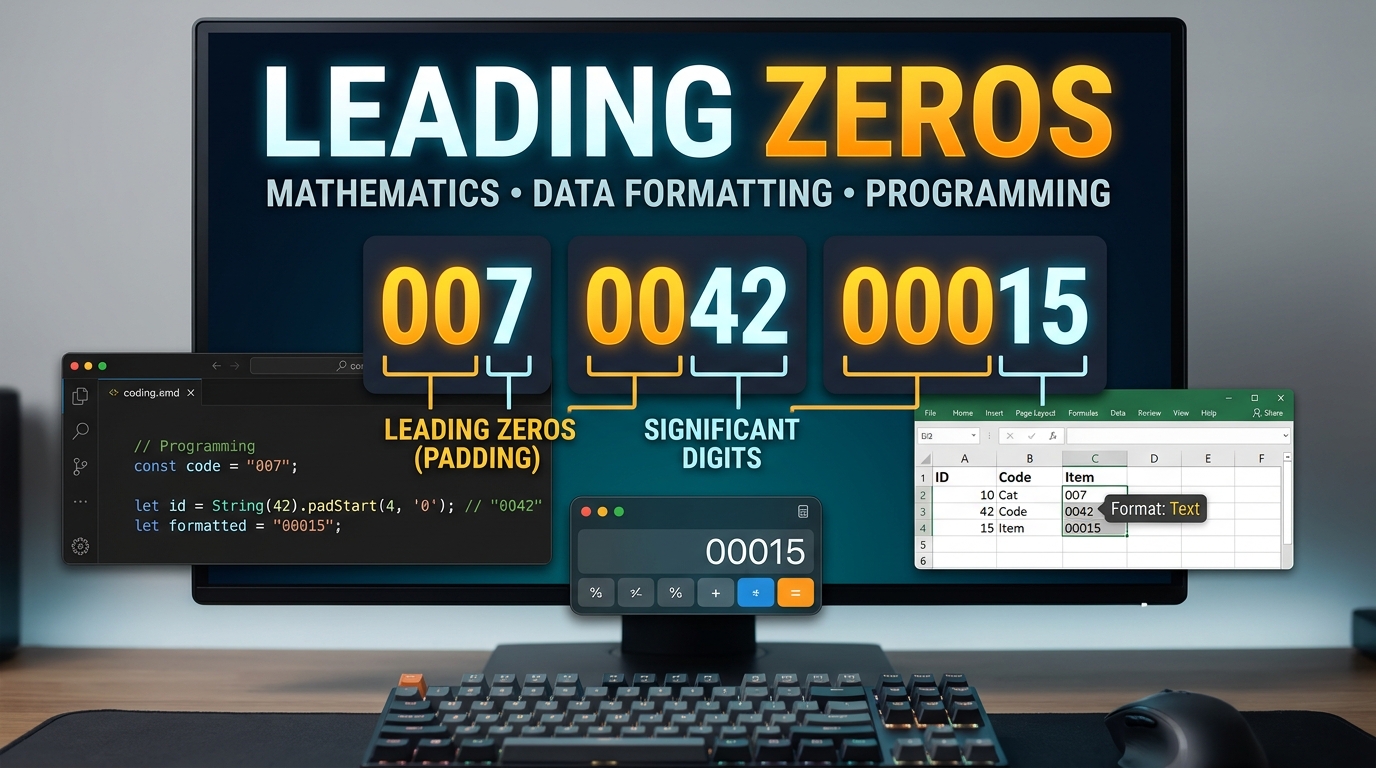
A zero at the beginning of a value can look unnecessary, but context changes its importance. Leading zeros may preserve identifiers, fixed-width data, ZIP Codes, account numbers, or software formatting. Removing them is harmless for ordinary numbers but can damage data that represents codes rather than quantities.
Quick answer: A leading zero appears before the first nonzero digit, such as the two zeros in 007. It usually does not change an ordinary number’s mathematical value. However, it can be essential when a value represents an identifier, formatted code, ZIP Code, text field, or software input.
| Situation | Example | Does the zero matter? | Reason |
|---|---|---|---|
| Ordinary integer | 007 and 7 | Usually no | Both represent the same decimal quantity |
| Decimal fraction | 0.007 | Yes | The zeros show the digit’s decimal position |
| U.S. ZIP Code | 02108 | Yes | ZIP Codes are identifiers, not quantities |
| Product or employee ID | 00045 | Usually yes | The fixed format may identify a specific record |
| Excel data | 00123 | Depends | Excel may convert it to the number 123 |
| Python integer literal | 0123 | Yes | Modern Python rejects this decimal integer syntax |
| Scientific measurement | 0.0042 | No, for significant figures | Initial zeros locate the decimal point |
What Are Leading Zeros?
Leading zeros are zero digits placed before the first nonzero digit in a written value. For example, 0047 contains two initial zero digits. In normal decimal arithmetic, 0047 and 47 have the same numerical value.
That rule changes when the characters represent something other than a quantity. A ZIP Code, employee ID, invoice code, or product number may require a fixed number of characters. In those cases, removing an initial zero can change the identifier even when its numerical value remains unchanged.
This difference explains many spreadsheet and database problems. Software often tries to decide whether a sequence of digits is a number or text. The correct data type depends on what the value means, not simply what characters it contains.
Why Leading Zeros Matter in the United States
U.S. ZIP Codes provide a common example because some valid codes begin with zero. Microsoft specifically recommends treating postal codes appropriately when importing or formatting spreadsheet data. Its Excel tools also provide U.S.-specific ZIP Code and ZIP Code + 4 formats.
The same principle applies to account numbers, customer IDs, SKUs, and other business identifiers. You normally do not add or subtract these values. Treating them as text often preserves their intended format and avoids unwanted conversions.
Data handling becomes especially important when information moves between applications. A database may export a code correctly, while a spreadsheet can reinterpret it during opening. Checking column types before import reduces this risk.
Leading Zeros in Math and Significant Figures
For ordinary positive integers, adding zeros before the first nonzero digit does not change the quantity. The expressions 9, 09, and 009 represent the same decimal value in standard mathematical interpretation. Standard integer notation therefore normally omits unnecessary initial zeros.
Scientific measurements use a different rule for determining significant figures. Initial zeros before the first nonzero digit are not counted as significant figures. For example, 0.008 has one significant figure, while 0.00416 has three.
These zeros still serve an important positional purpose. They show where the nonzero digits sit relative to the decimal point. Removing the wrong zero from a decimal fraction could therefore change the quantity completely.
Leading Zero vs. Trailing Zero
A leading zero appears before the first nonzero digit. A trailing zero appears after the final nonzero digit. Their meaning depends on whether you are discussing ordinary numbers, measurements, formatting, or stored text.
For example, the zeros in 0.005 occur before the first significant digit. By contrast, a final zero in a measured value such as 5.20 can communicate measurement precision. Scientific notation can make that intended precision clearer.
The distinction also matters in software systems. Zero padding at the beginning often creates fixed-width identifiers. Zeros at the end may instead be part of a decimal representation or a formatting rule.
Why Excel Removes Zeros at the Beginning

Excel normally interprets a digit-only entry such as 00123 as a number. Because the leading zeros don’t change the number’s value, Excel may display 123 instead. Microsoft provides several ways to preserve the original representation.
You can format a column as Text before entering or importing the values. A custom number format can also display a required number of digits. Current Excel versions also support automatic data-conversion controls.
Choose the method according to your goal. Text is safer when the zeros are part of an identifier that must survive exports. Display formatting can work when you only need a particular appearance inside the workbook.
Common Excel methods
* Format the destination cells as Text before entering the data. * Import CSV data through Power Query and set the column type to text. * Use a custom format such as 00000 for fixed five-digit displays. * Use Excel’s TEXT function when you need a formatted text result. * Review automatic data-conversion settings in supported Excel versions.
One warning deserves special attention with long identifiers. Excel has a 15-digit precision limit for numerical values and can alter later digits. Microsoft recommends text storage when a code contains 16 or more digits.
In broader data-analysis workflows, data types and modeling choices deserve attention before visualization. The same principle applies here because identifiers should not become quantities accidentally.
What Happens in CSV Files?
A CSV file is fundamentally a text-based exchange format. Problems often appear when another application guesses how each field should be interpreted. A numeric-looking field can therefore lose its initial zeros after import into spreadsheet software.
Suppose a customer code is stored as 00045. Converting that field into a numeric value produces 45, which may no longer match another system’s identifier. The safer approach is to define such columns as text during the import process.
This issue matters when data moves between accounting, CRM, inventory, and reporting systems. Automated workflows amplify small formatting mistakes because incorrect values can spread across multiple files. Techanta’s discussion of digital tools that help you do more provides useful context for managing connected workflows carefully.
Initial Zeros in Programming
Programming languages can assign special meaning to how numbers are written. Modern Python does not allow a nonzero decimal integer literal such as 0123. Python’s documentation says the rule prevents confusion with older C-style octal notation.
If 00123 is an identifier, a programmer can store it as a string instead. A string preserves every character because the program does not treat the sequence as a mathematical integer. This approach commonly fits codes, serial numbers, account identifiers, and formatted labels.
Language rules can vary, so developers should not assume every environment behaves identically. C-related languages historically used initial zeros in ways that could affect numeric interpretation. Techanta’s C vs C++ comparison offers related background on how language rules and syntax can differ.
What About Databases?
Numeric database columns generally represent quantities and do not preserve zero padding as part of the stored number. Text-based columns can preserve those characters because the database treats the value as a sequence. This distinction is why database designers should classify identifiers carefully.
Consider an employee code such as 000127. Arithmetic on that code would make little sense, even though every character happens to be a digit. A character-based field may therefore represent the business meaning more accurately.
Correct types also reduce later cleanup work. Formatting mistakes can surface during imports, reporting, API transfers, or application updates. Techanta’s guide to debugging and sustaining application performance provides additional context for preventing data-related problems across software systems.
When Should You Keep the Zero Padding?
Keep the initial zero digits when the value is an identifier rather than a quantity. You should also preserve them when another system requires a fixed character length. Removing them can break matching, validation, or data exchange.
Common examples include the following.
* U.S. ZIP Codes that begin with zero. * Customer and employee identifiers. * Product and inventory codes. * Account or reference numbers. * Fixed-width data fields. * Formatted sequence numbers. * Text-based serial numbers.
Remove unnecessary padding when you are working with ordinary numbers and the extra characters have no defined purpose. For example, converting 00042 to 42 is normally reasonable when the value means forty-two units. The decision should follow the data’s meaning rather than its appearance.
A Simple Rule for Handling Zero-Padded Values
Ask one question before choosing a data type: Will anyone perform arithmetic on this value? If the answer is yes, a numeric type may make sense. If the answer is no, consider whether the value is really an identifier.
Then check whether character length has meaning. A five-character code such as 00421 may need to remain five characters everywhere. Storing it as text prevents software from silently reducing it to 421.
Finally, test how the value survives exports and imports. Open a sample in the applications used by your workflow. That small test can expose unwanted conversions before thousands of records are affected.
Frequently Asked Questions
Are leading zeros significant?
They are not significant figures when they appear before the first nonzero digit in a measurement. For example, 0.0034 has two significant figures. The zeros locate the decimal point but do not represent measured precision.
Does 007 equal 7?
Yes, when both expressions are interpreted as ordinary decimal numbers. The added zeros do not change the numerical quantity. They can still matter when 007 is an identifier or fixed-format code.
Why does Excel delete zeros before a number?
Excel commonly interprets digit-only entries as numeric values. It can therefore convert 00123 into 123 because both have the same numerical value. Formatting the field as text before entry or import can preserve the original characters.
Should ZIP Codes be stored as numbers?
Usually, storing U.S. ZIP Codes as text is safer because they function as geographic identifiers. Some valid codes begin with zero, so numeric conversion can remove necessary characters. Excel also provides special U.S. postal-code formatting options.
Why does Python reject 0123?
Modern Python prohibits initial zeros in nonzero decimal integer literals. The rule avoids ambiguity with older octal-number conventions. Use 123 for the decimal integer or a string when the zero padding must remain.
The Bottom Line
Zeros at the start of a value may be meaningless mathematically but essential structurally. Treat quantities as numbers and identifiers as text when their characters must remain unchanged. That simple distinction prevents many spreadsheet, CSV, database, and programming errors.
For Techanta readers, the practical lesson is straightforward. Check what a value represents before choosing its format or data type. Preserving the correct representation early is easier than repairing altered records later.